Word Search Maker
Paste a list, get a grid and an answer key. Everything happens on your device.
Same number, same puzzle. Change it for a second version with the same words.
How it works
Paste the words, separated by commas or new lines. Accents and umlauts are transliterated, so "Käse" becomes KAESE.
Pick a size: 10 for early readers, 12 for most classes, 15 when you want it to take a while.
Print. The list under the grid is the answer key — hand it out or keep it.
Example
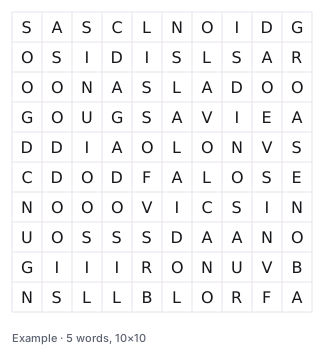
Six dinosaur words in a 10×10 grid, straight from the tool:
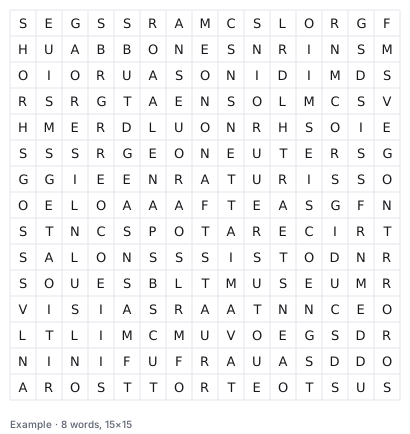
And eight words in a 15×15 grid, for older classes or station work:
What it does not do
It does not check spelling and it does not grade anything. A word search trains recognition, not writing: a child who cannot spell "triceratops" can still circle it. If spelling is the point, use the cloze maker instead.
It also will not place a word longer than the grid, and it will not force a word in that has no room left — those come back listed as unplaced, which is honest but occasionally annoying.
Tips that actually help
- Keep it under eight words in a 12×12 grid. More turns the puzzle into a wall of letters.
- Short words are fine, but do not fill a grid with three-letter words — they hide too easily and the puzzle feels random.
- For differentiation, make the same list twice with different seeds: identical words, different difficulty.
Questions
Are my words stored?
No. The grid is generated in your browser; nothing is sent anywhere.
Can I use accents and umlauts?
Yes — they are converted to plain letters (Ä to AE, ß to SS) so the grid stays readable.
Can I use the puzzles in class?
Yes, freely, for your own classroom. Reselling them as your own material is not allowed.
Pair these with a coloring page
Same words, different job: the puzzle keeps them busy, the coloring page gives them something to take home.